Can beginners fly FPV drones indoors without crashing?
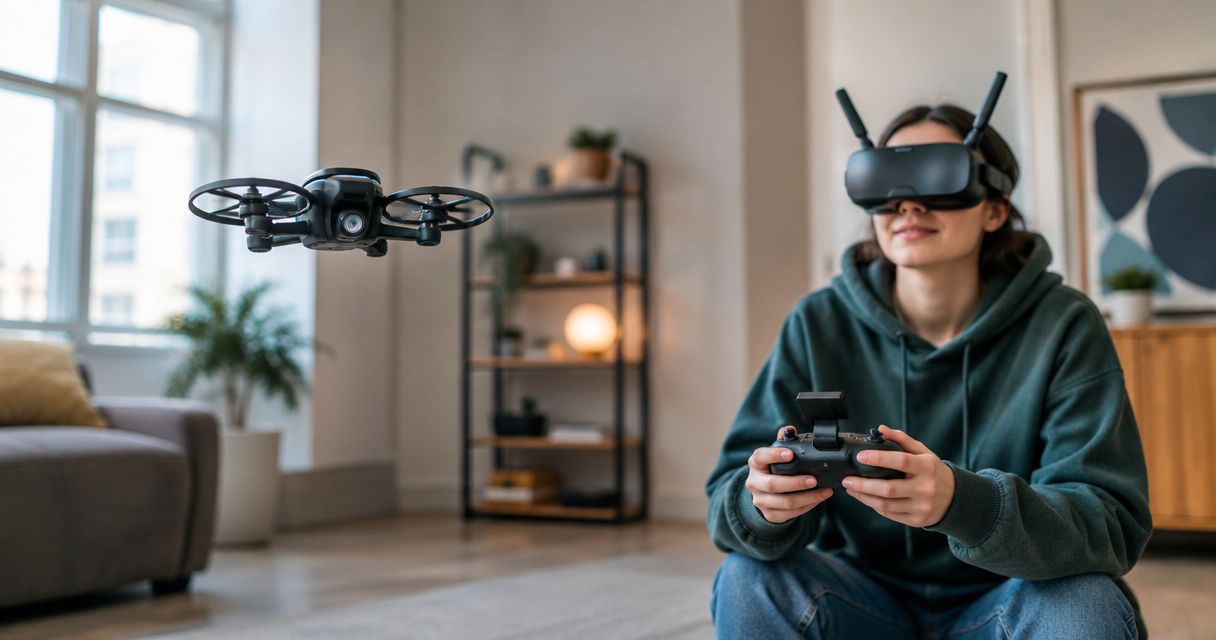
Yes, beginners can fly FPV drones indoors without crashing on a particular flight, but no setup or training plan guarantees crash-free flying. Start with simulator practice, a small propeller-guarded drone, and simple exercises in a cleared space; propeller guards reduce exposure to spinning blades but do not eliminate injury or property damage.
TL;DR
- Can beginners fly FPV drones indoors without crashing? Yes on individual flights, but crash-free flying is not guaranteed.
- Start indoor FPV practice in a simulator, then use a small propeller-guarded drone in a cleared space.
- Angle mode helps with leveling; Acro mode requires you to control the drone’s attitude yourself.
- SquadFlight is building a Las Vegas indoor-FPV gym; the permanent venue is not open.
Can beginners fly FPV drones indoors without crashing?
Yes, but make control—not a spotless crash record—your first goal. FPV means first-person view: you fly using the live image from a camera on the drone. That view helps you see where the drone points, but it does not show every obstacle beside, above, or behind it.
Your starting method matters. A simulator lets you learn stick movements without putting a physical aircraft into a wall. Our guide to FPV drone simulators for beginners covers that starting point.
Starting method Best for Main advantage Main limitation
FPV simulator Learning controls before physical flight You can reset after a virtual crash without damaging a drone It does not reproduce every detail of your real drone or room
Guarded micro-FPV drone in Angle mode First controlled indoor flights Self-leveling assistance simplifies attitude control You still manage throttle, direction, obstacles, and landing
Guarded micro-FPV drone in Acro mode Learning manual flight after basic control You directly control rotation without self-leveling assistance Recovering from an unwanted tilt requires deliberate correction
Micro-FPV means a small camera-equipped drone. A Tiny Whoop-style aircraft commonly combines that small format with guards around its propellers, but check the actual aircraft rather than assuming every small drone has equivalent protection.
Why this matters
Indoor flying puts your mistakes close to furniture, walls, and people. The room also has a ceiling. A throttle input that sends the aircraft upward needs a different response from a steering input that sends it sideways.
For your 2026 beginner plan, separate learning the controls from learning a course. Trying to understand throttle, goggles, turns, and gate alignment at once gives you too many jobs. Strip the flight back until you can identify what each stick movement does.
Gaming experience can make a controller feel familiar, but physical flight has consequences that a reset button does not erase. Treat the simulator as practice, not proof that your first real lap will work.
Simulator practice: learn the reset before the race
A simulator is the best starting method for practicing mistakes without physical impacts. Begin with takeoff, maintaining direction, gentle turns, and landing. Leave race laps alone until those movements feel deliberate.
Use your intended controller when the simulator supports it. Check the simulator’s control mapping before practicing: the throttle stick should behave as expected, and your selected flight mode should match the skill you want to learn. Randomly changing settings makes it harder to tell whether your inputs are improving.
Practice recovering from a poor approach, not just completing a good one. If you miss a virtual gate, stop chasing it, regain a clear direction, and set up again. That habit matters indoors because a rushed correction can point a physical drone toward another obstacle.
The limitation is transfer. A simulator cannot confirm that your real aircraft is assembled correctly, your video feed works, or your room is suitable. Keep the first physical flight simpler than your strongest virtual flight.
Angle mode: the easier starting point for physical flight
Angle mode uses self-leveling assistance: when you release the pitch and roll controls, the flight controller works to bring the aircraft back toward level. Pitch tilts the drone forward or backward; roll tilts it sideways. Neither is an automatic landing command.
Start in Angle mode if your drone supports it and you are still learning basic orientation. You still need to control throttle, which changes motor output, and yaw, which turns the drone’s heading. Level does not mean stationary; momentum and airflow can still move the aircraft.
Check the selected mode before takeoff. Do not assume a switch position means Angle mode simply because it did on another controller or a previous configuration. Follow the aircraft’s documentation and verify the setup with the propellers removed where the instructions require it.
Angle mode’s advantage is a simpler starting workload. Its limitation is that it does not teach every correction you need in Acro mode. Use it to build control, not as a promise that the drone cannot hit anything.
Acro mode: manual control, not a beginner badge
Acro mode does not automatically level the aircraft when you center the pitch and roll sticks. Instead, those controls command rotation; centering them stops the commanded rotation rather than returning the aircraft to a level attitude. A tilted drone therefore needs an intentional correction.
Learn Acro in a simulator before attempting it in a tight physical room. Practice recognizing an unwanted tilt and correcting it without adding a bigger movement in the opposite direction. Get comfortable with the view changing as the aircraft rotates.
Acro’s advantage is direct manual control. The drawback for a newcomer is the extra recovery workload, especially when nearby obstacles leave little room to react. There is no need to turn an Angle-to-Acro progression into a contest.
Choose the mode that fits today’s exercise. A controlled landing in Angle mode is useful progress; an uncontrolled Acro lap is not a shortcut.
Your 2026 indoor practice plan: 3 drills before gates
Use 3 drills to keep your first physical sessions focused: takeoff and landing, straight passes, and gentle turns. These are practice recommendations, not a certification or a guarantee against crashes. Advance when you can perform the movement deliberately and stop when the aircraft or space needs attention.
Takeoff and landing
Pick a visible landing area away from people and fragile objects. Before arming—the command that enables the motors—identify your disarm control and confirm the flight area is clear. Follow the aircraft’s operating instructions rather than improvising a startup sequence.
Lift off gently, make small corrections, and return to the landing area. The goal is to connect stick movement with aircraft response, not to see how high it can go. If the drone behaves unexpectedly, end the exercise and investigate before another attempt.
Straight passes
Choose a clear direction through the room and fly a deliberate pass without adding a gate. Look for gradual inputs rather than repeated large corrections. Leave space to slow down and change direction before the wall becomes your turnaround marker.
FPV footage can make an open route look more forgiving than it is. Check the actual room before putting on goggles, including objects outside the camera’s forward view. Do not use a route that depends on squeezing past someone.
Gentle turns
Add a broad turn only after straight movement feels controlled. Watch how the view changes and how the aircraft continues moving through the turn. Avoid turning and climbing aggressively at the same time while you are still sorting out the controls.
Then introduce 1 gate, placed where a missed approach has a clear exit path. A glow-gate is an illuminated course opening, not a requirement for learning. If the approach falls apart, abandon the pass and reset rather than forcing the aircraft through.
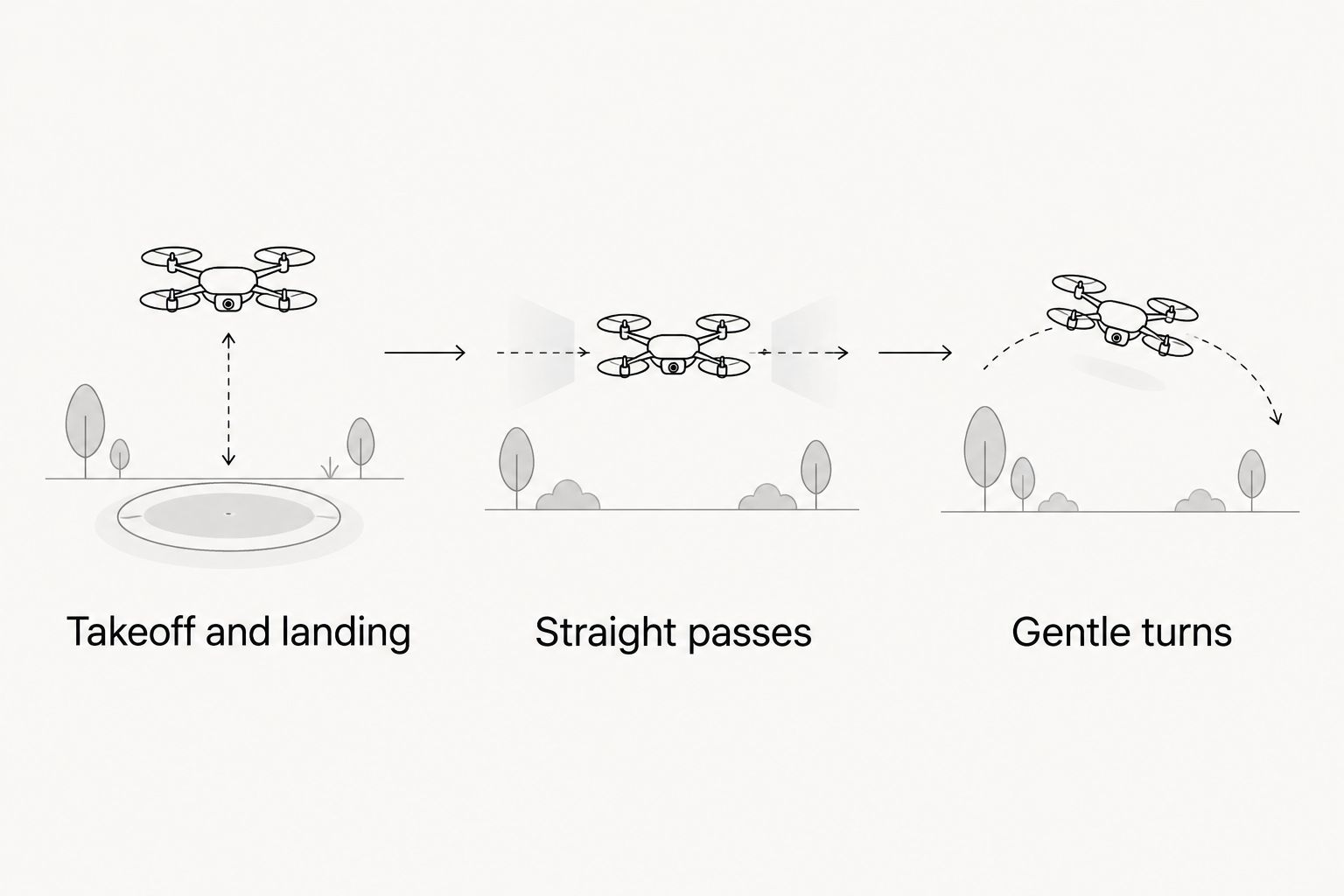
Build control before adding a gate to the route.
Why indoor crash risk varies
The label beginner-friendly does not describe your whole setup. Your aircraft, inputs, and room all affect how much work a flight demands.
-
Flight mode: Angle provides leveling assistance; Acro requires manual attitude correction. Neither avoids obstacles for you.
-
Aircraft and guards: A small guarded aircraft is different from an exposed-propeller drone. Guards do not make contact harmless.
-
Control settings: Rates affect how quickly the aircraft rotates in response to stick input. Understand settings before changing them.
-
Room layout: Narrow gaps, low ceilings, furniture, and people leave less space for corrections or an abandoned approach.
-
Aircraft condition: Damaged guards, loose components, or debris around a propeller need inspection before another flight.
-
Exercise difficulty: A landing drill asks less of a newcomer than a course combining turns, height changes, and gate alignment.
For a 2026 practice session, change one part of the exercise at a time. If you add a gate, keep the flight mode and route familiar. That gives you a clearer way to identify what caused a mistake.
Use 2 checkpoints: before takeoff and after contact
Your 2 checkpoints are the preflight check and the post-contact check. They serve different purposes: the first checks readiness; the second stops you carrying damage or a setup problem into the next flight.
Before takeoff, clear the flying area, check the aircraft according to its documentation, confirm the control mode, and identify the disarm switch. Keep people and pets outside the route. Permission to use a room does not replace agreement about where aircraft and spectators belong.
After contact, disarm before approaching or handling the drone. Inspect the propellers, guards, and components for damage or movement, following the manufacturer’s instructions. If something is cracked, loose, binding, or behaving abnormally, stop rather than treating the next takeoff as a diagnostic test.
Do not grab an armed drone out of the air. Handle batteries according to their manufacturer’s guidance, and stop using a battery that shows damage. Small aircraft still need deliberate handling.
Where SquadFlight fits for Las Vegas beginners
SquadFlight is for Las Vegas beginners seeking an indoor-FPV community, not a currently open permanent gym. SquadFlight is building a climate-controlled micro-FPV venue with planned LED glow-gate tracks, simulators, and beginner-friendly training.
For 2026 planning, distinguish current meetups, training, and garage-lab activity from that future venue. Do not plan around permanent-gym access, house gear, or Fly-and-Swap access before the venue opens. Confirm the details of the specific activity you want to attend.
The appeal of SquadFlight’s indoor-FPV concept is hands-on flying with a local community. The limitation is straightforward: the permanent gym is still being built. If you want guidance before choosing a learning route, read the beginner FPV training programs guide.
Think of FPV differently from a gaming session or a go-kart outing: you are learning to control an aircraft, not just trying an activity. Squad up, but keep the first objective small—a deliberate takeoff, a clear route, and a controlled landing.
Do propeller guards stop indoor FPV crashes?
Propeller guards do not stop crashes. They surround the propellers and reduce direct exposure to the blades, but they do not prevent the drone from striking a wall or another object. A guard can also be damaged during contact, so inspect it before flying again.
Should I learn Angle mode or Acro mode first?
Angle mode is the simpler starting point for physical indoor flight when you need leveling assistance. Practice Acro separately in a simulator if manual flight is your goal. You do not need to abandon useful Angle-mode practice to prove that you belong in FPV.
What should I do after my first indoor crash?
Disarm, inspect the aircraft, and identify what happened before taking off again. Separate a control mistake from a damaged component or unsuitable route. Make the next exercise simpler instead of repeating the same attempt unchanged.
FAQ
Can I learn indoor FPV without crashing at all?
You can complete individual indoor flights without crashing, but no learning method guarantees a crash-free experience. Start with simulator practice and controlled exercises in a cleared space.
What’s the best way to practice FPV before flying indoors?
A simulator is the best starting method for practicing controls without physical aircraft impacts. Practice takeoff, turns, recovery, and landing before trying a real course.
Is a Tiny Whoop-style drone safe to fly around people?
A Tiny Whoop-style drone is not permission to fly around people. Propeller guards do not eliminate injury risk, and spectators should remain outside the flight route.
Does Angle mode keep my drone away from walls?
Angle mode does not keep a drone away from walls. It provides leveling assistance, while you remain responsible for throttle, direction, and avoiding obstacles.
Can I practice indoor FPV in my living room?
Use a living room only if you have permission and can create a suitable clear flight area. Keep people, pets, fragile objects, and other hazards outside the route, and follow the aircraft’s instructions.
Is SquadFlight’s permanent Las Vegas gym open in 2026?
SquadFlight’s permanent Las Vegas gym is not open; the brand is building the future venue. Distinguish current meetups, training, and garage-lab activity from permanent-gym access.
Should I keep flying after my drone hits a wall?
Stop and inspect the drone after a wall impact rather than immediately relaunching. Disarm before handling it, and do not continue with damaged or loose components.
One last thing
Practice abandoning a bad approach. Getting through a gate is not the only useful skill; recognizing that the approach is wrong and choosing a clear exit is part of controlled flying. Make that part of your 2026 practice plan before adding a more complicated course.
Your first win is not a fast lap. It is knowing what the drone is doing—and choosing the next input instead of panic-steering.